

Script Lettering Illustration Process
This is how I revise a rough sketch into a final illustration. Below, is a section on script lettering. In the future, I’ll expand on each of these topics in a separate post - If you have a question or a topic request, it’d be awesome to hear about what you’re interested in!
Script Lettering
The fluid and practical style of script lettering emerges from cursive handwriting. There are many different styles and most of them incorporate thick downstrokes, thin upstrokes and connected letters.
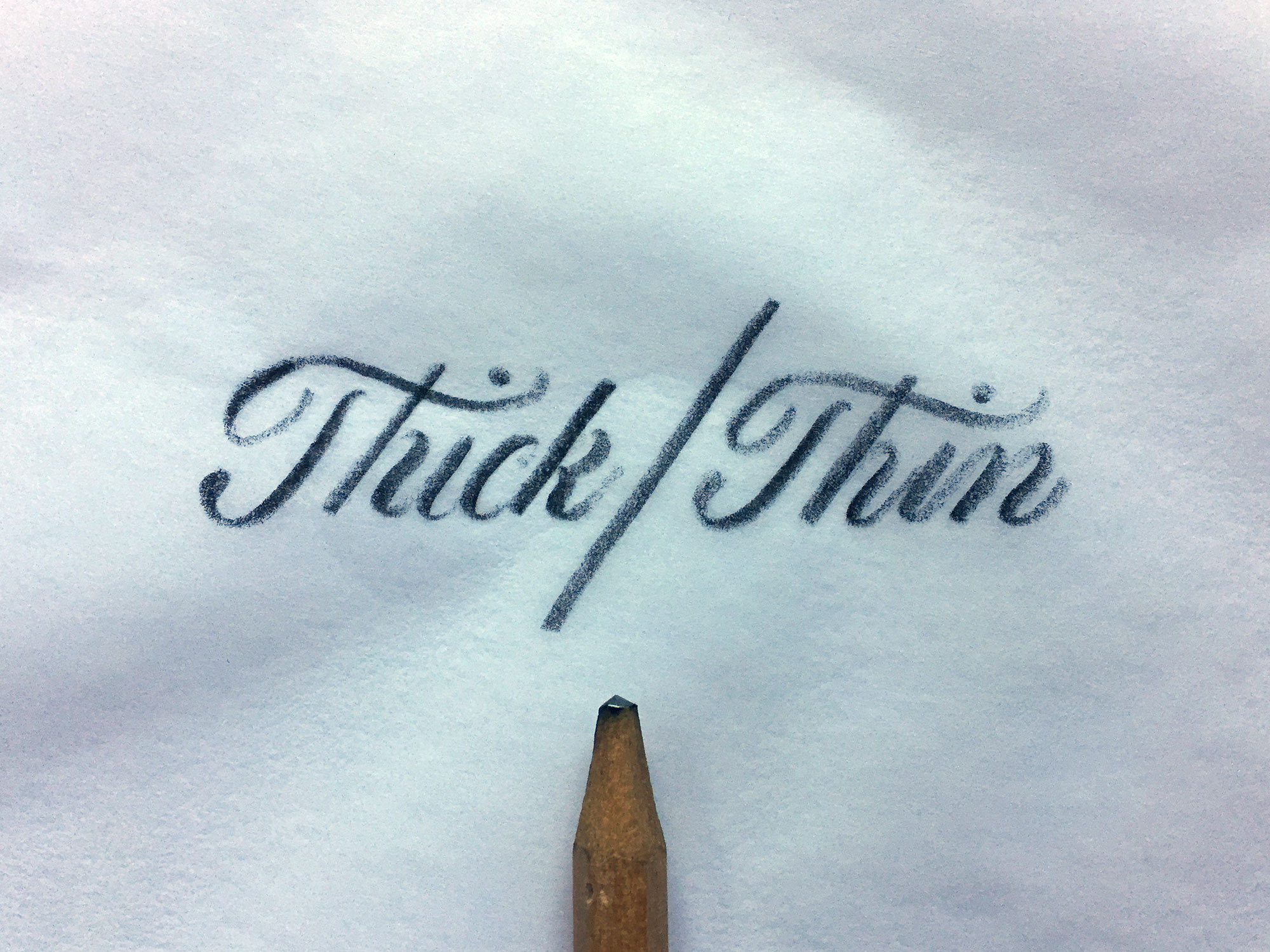
Thick and Thin
Script utilizes thick and thin strokes. Pressure is applied to downstrokes, which makes them thick and reduced just before the bottom of the stroke to create a smooth transition from thick to thin as the upstroke begins. To mimic the effects of a flexible pen, I use a dull soft lead pencil (3b-6b).
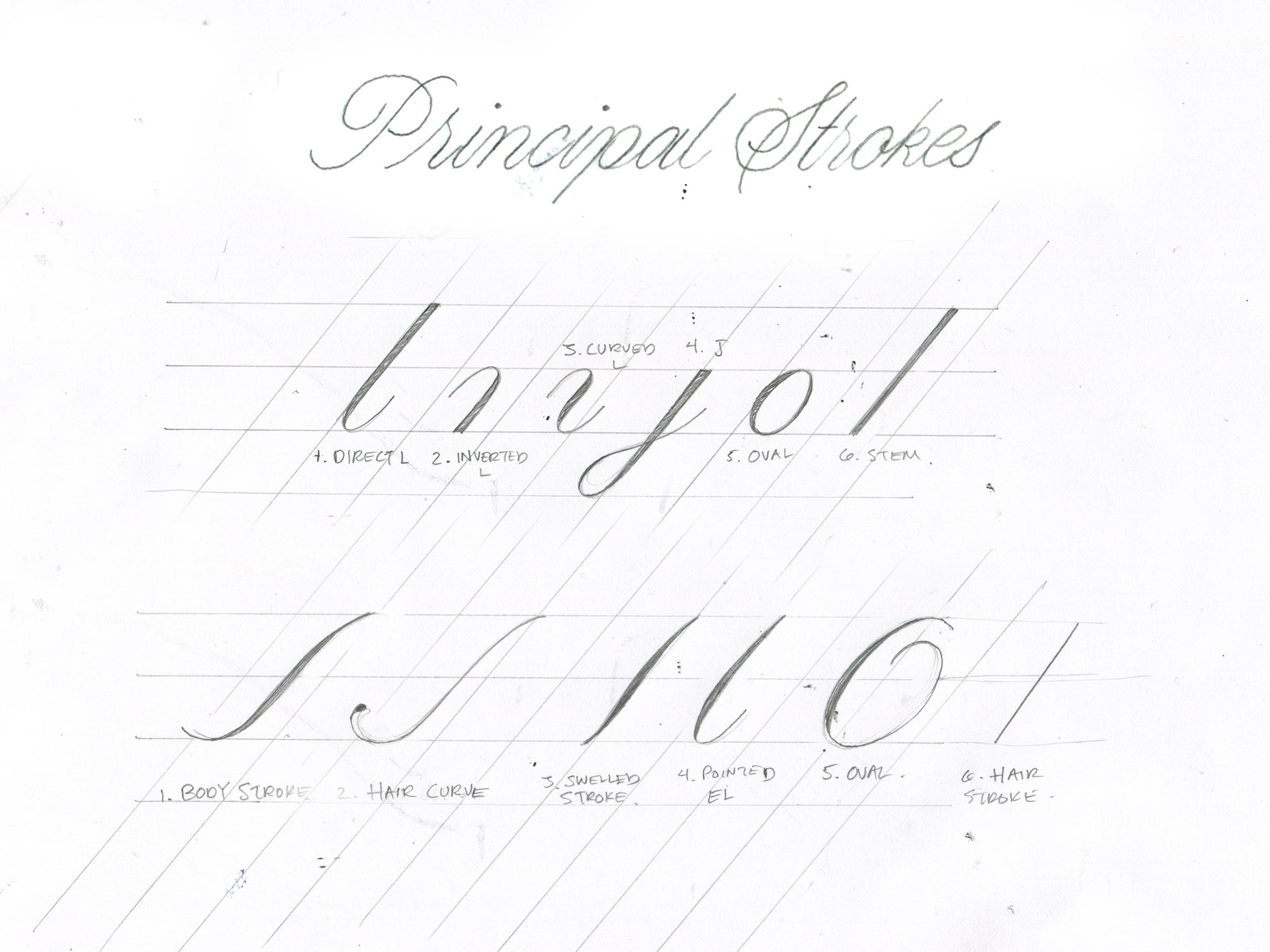
The Principal strokes
Principal strokes are the legos of lettering, a few of the strokes are already letterforms like the direct L, J and Oval . In the image, the top row shows the lowercase principal strokes and the bottom row shows the pieces used to construct uppercase letterforms. (Source: Script Lettering for Artists by Tommy Thompson - I get a commission when you purchase through this link). Learning the principal strokes makes achieving consistency much easier.
Kerning
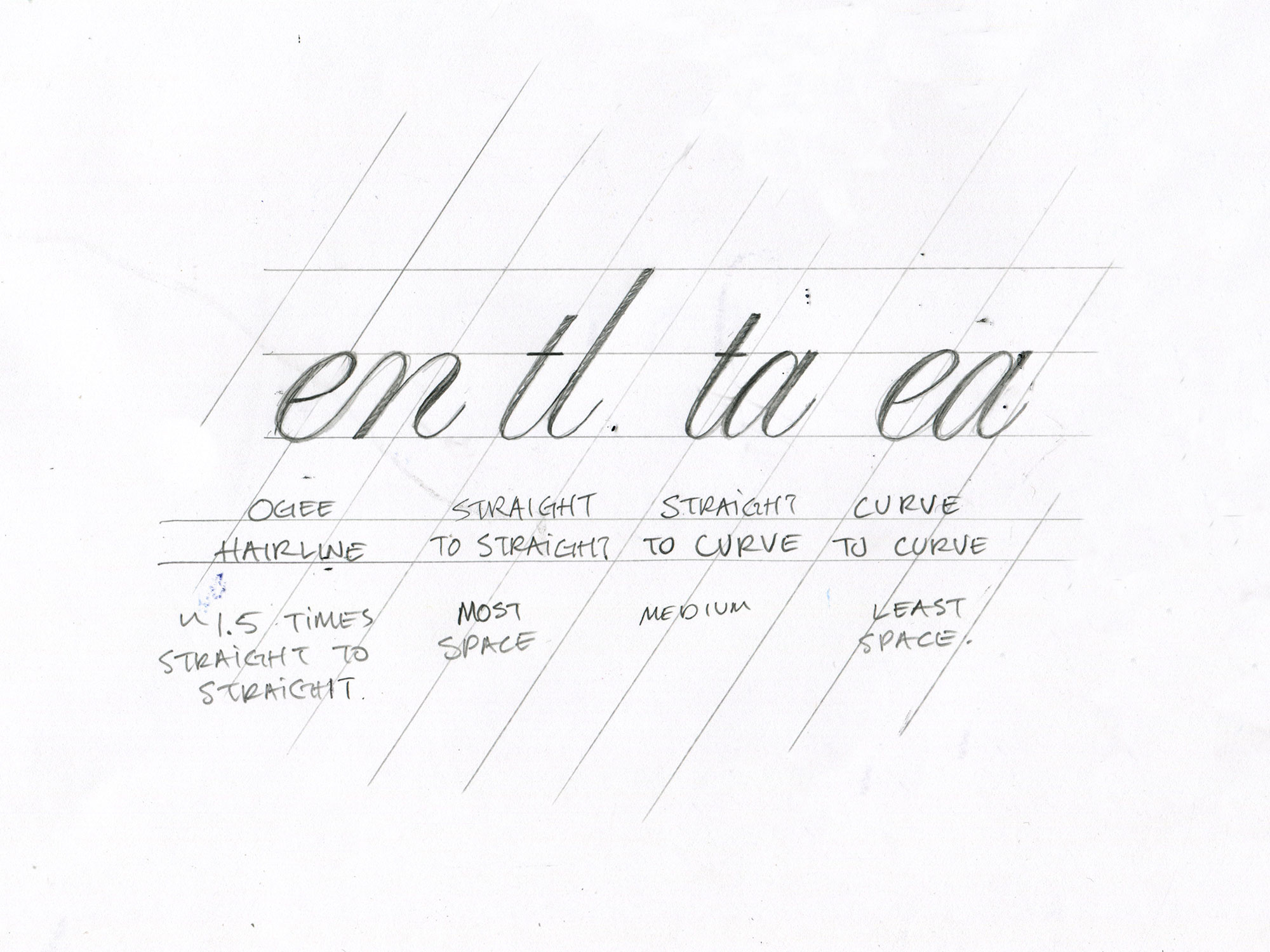
Kerning is the process of adjusting the space between each letter to create balance and improve readability. If you’re new to kerning, you can play this game to practice. When kerning, I consider these four relationships:
Straight to Straight - Should have the most negative space between letters.
Straight to Curve - Less spacing than straight to straight but more than curve to curve.
Curve to Curve - Should have the least space between them.
Hairline Connection - About 1.5x the space between the straight to straight relationship. These connections occur when a letter connects to an m, n, p, u, v, w, x or y. (Source: Art of the Letter by Doyald Young - I get a commission when you purchase through this link.)
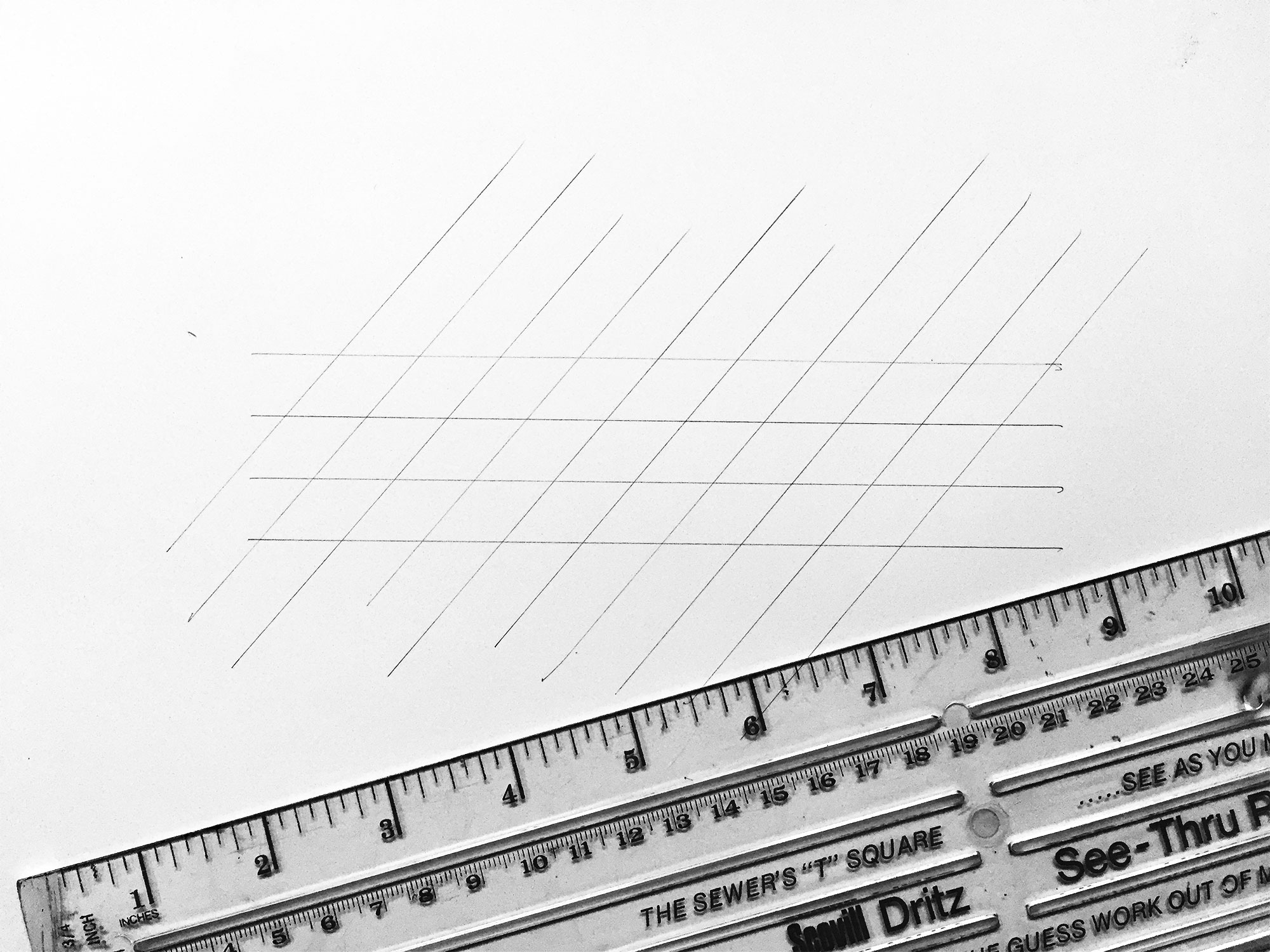
Slope
The slope creates consistency by dictating the direction of each letter. It also implies varying amounts of movement depending on the intensity of the slope. I’ve found that a see-thru sewing ruler is the perfect tool for drawing slope guidelines because of its equally-spaced openings.
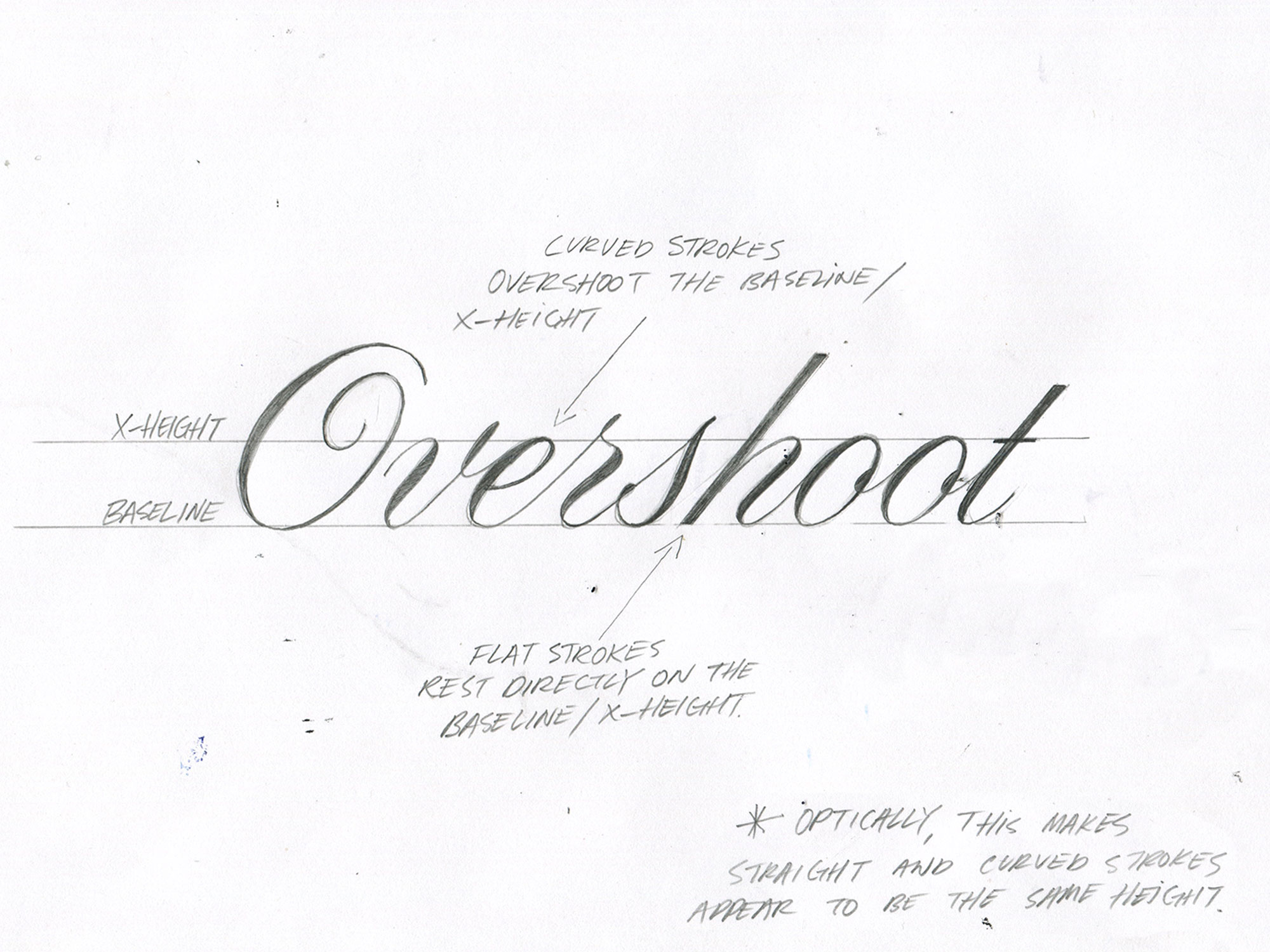
Overshoot
Rounded strokes should slightly extend over the baseline and x-height so that they appear to be the same height as strokes with flat ends.
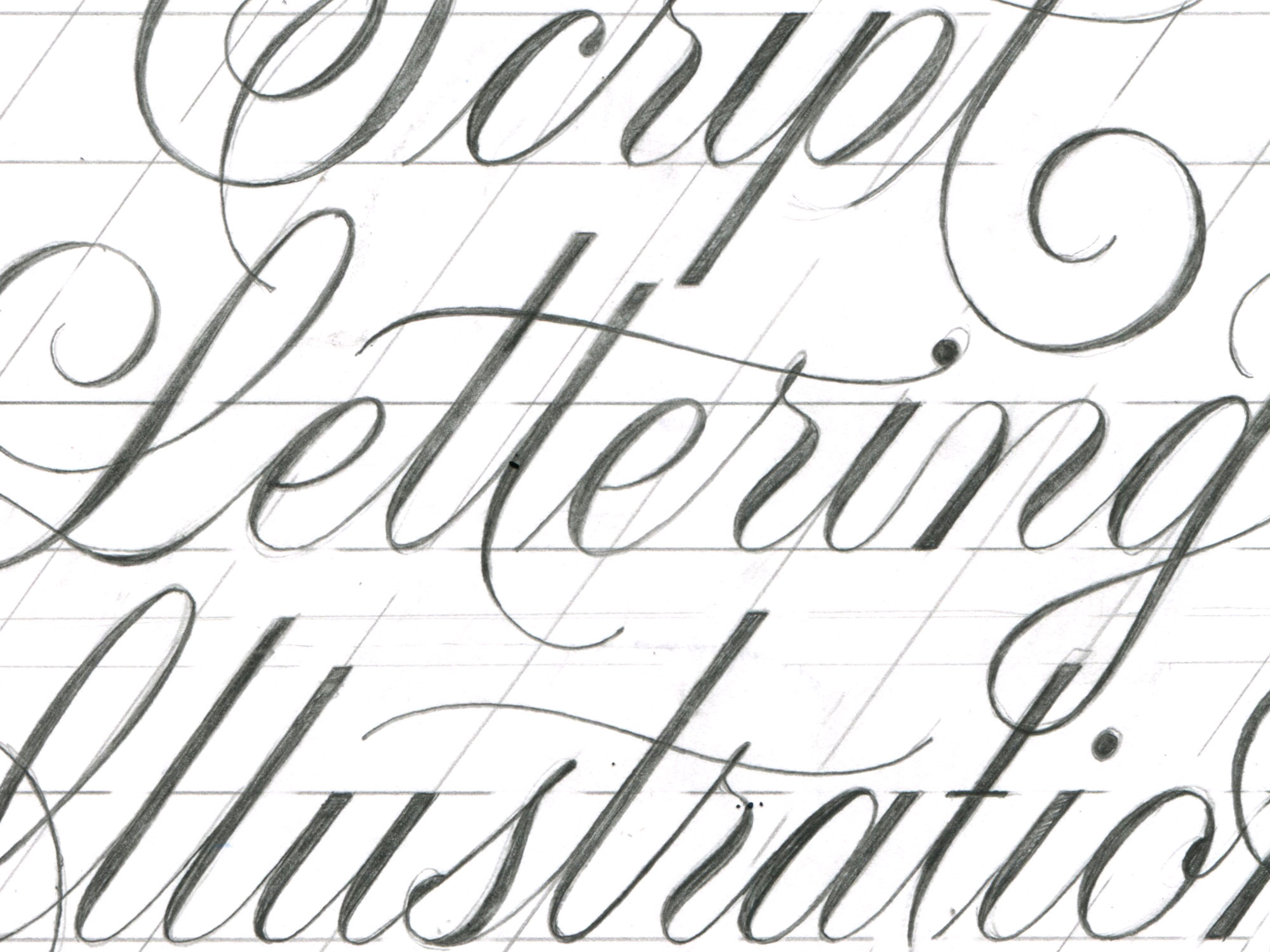
Consistency
Consistency improves with practice. I concentrate on making sure my stroke widths are matching. If something feels off, I add weight with my pencil or subtract it with an eraser.
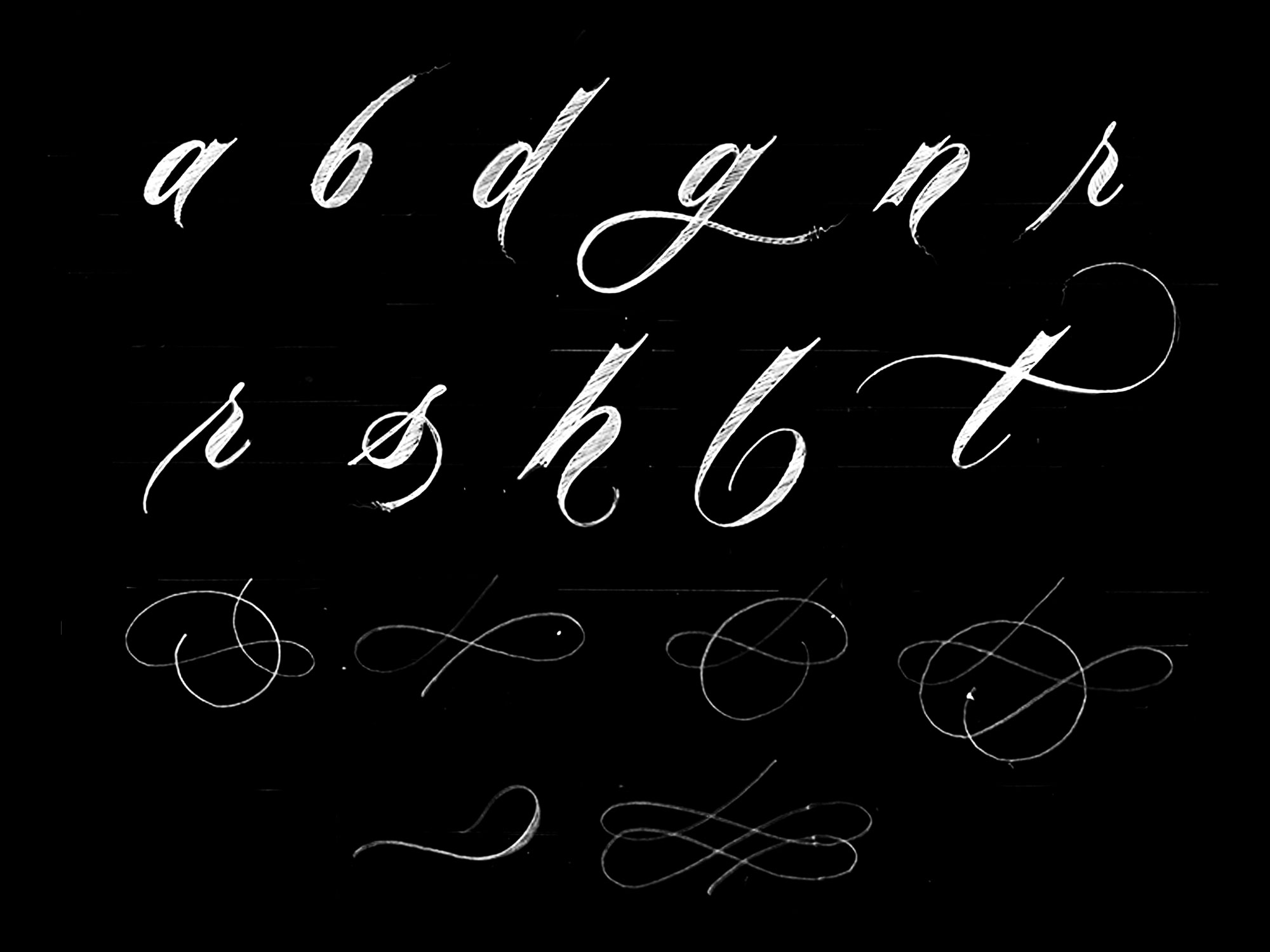
Flourishes
Flourishes are decorative elements that can extend from a letter or exist completely detached. They should be used to accentuate letterforms and create balance. Above, are examples of possible starting points and some of my favorite flourishes.
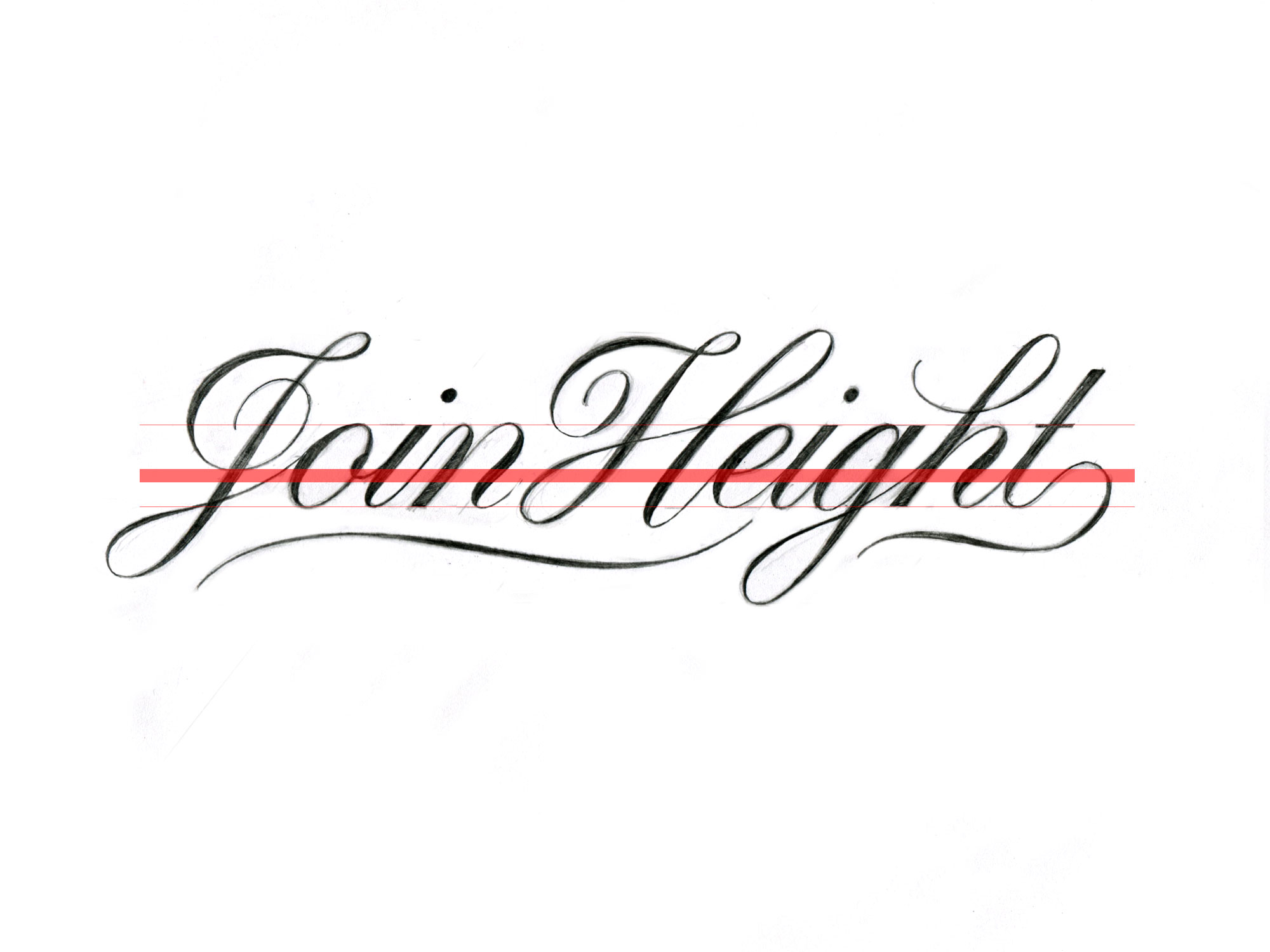
Join Height
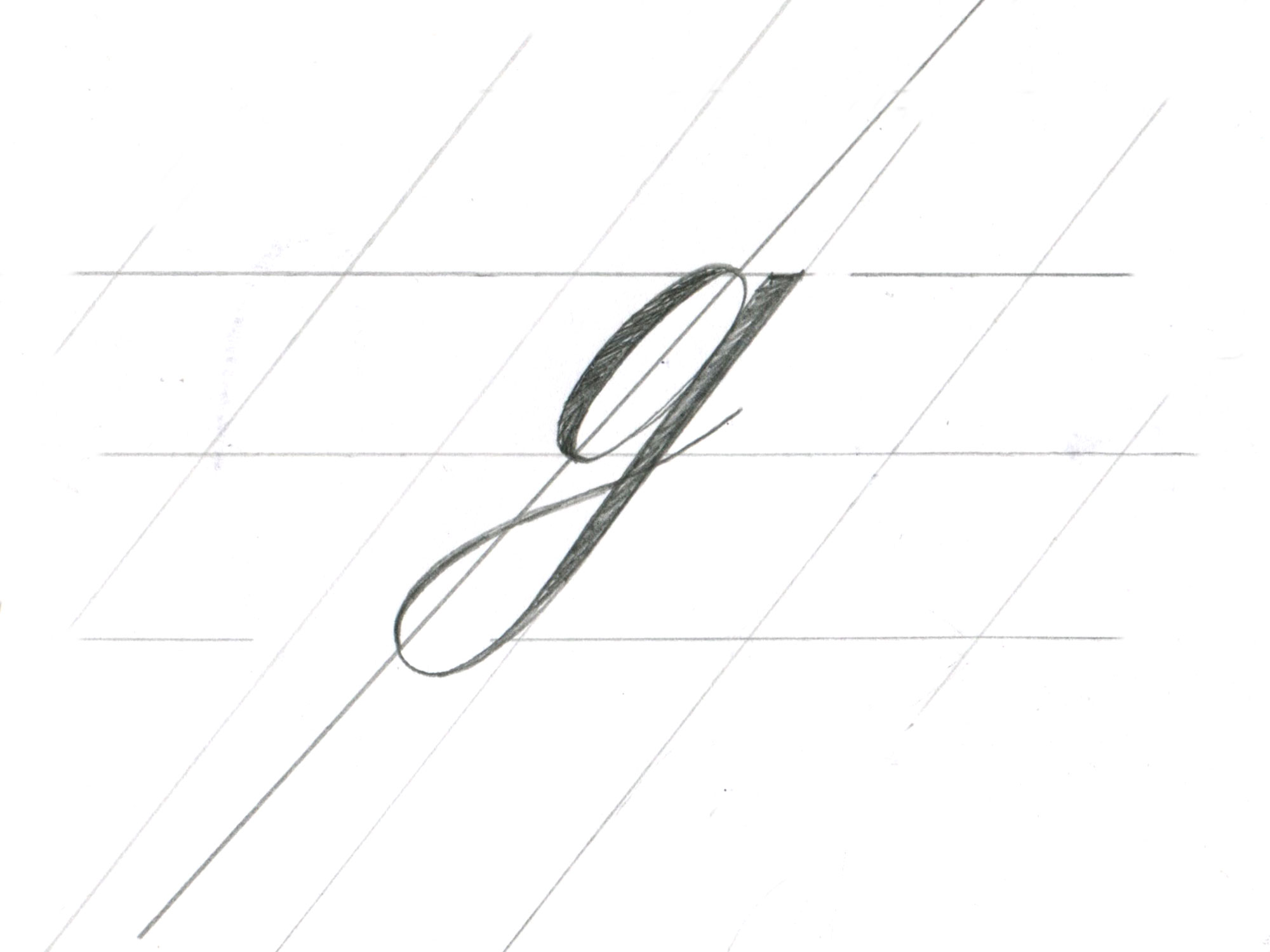
I connect upstrokes to the following lettering between 1/3 and 1/2 of the x-height. Upstrokes and the letters should merge smoothly. The thick red line in the image represent the 1/3-1/2 range, the J to o and g to h have connections that fall above the range. This is because they are kerned to be further apart than the rest of the letters and connecting them at a higher point helps to balance the negative space between them.
Reverse Curves
Reverse curves need to be slanted at a steeper angle to appear to have the same slope as a stem or j stroke. This concept helps to improve the flow of lettering - I like to slightly over-exaggerate the slant of reverse curves to make the stroke feel like it’s stalling.
MY ILLUSTRATION PROCESS
I’ve broken down my illustration process into three steps; Rough sketches, revised sketch and the final illustration.
Step 1. Rough Sketches
Start by simply writing out the words on paper with a pencil. Experiment while trying to create a composition that feels balanced. I keep these sketches small so that I can quickly reiterate the things I like and discard what I don’t. I use rolls of tracing paper because it’s cheaper than the sheets and you get to rip pieces off which is fun!
Rough Process
Write it out - I would normally experiment with different compositions at this point, but for this post I cheated and picked a title that I knew would look nice with every word on a separate line.
Notice things - Notice which compositions are working better than others, then try pushing them further by exploring ligatures, flourishes and different letter styles.
Reiterate - If you stumble on something you like, carry it through to the next sketch. If you dislike something try changing it. I find that when I’m having fun with the process, I get to good ideas much quicker. If you’re not having fun, take a break and come back.
*The goal is to create something that feels balanced and has potential for further refinement.
Step 2. Revised Sketch
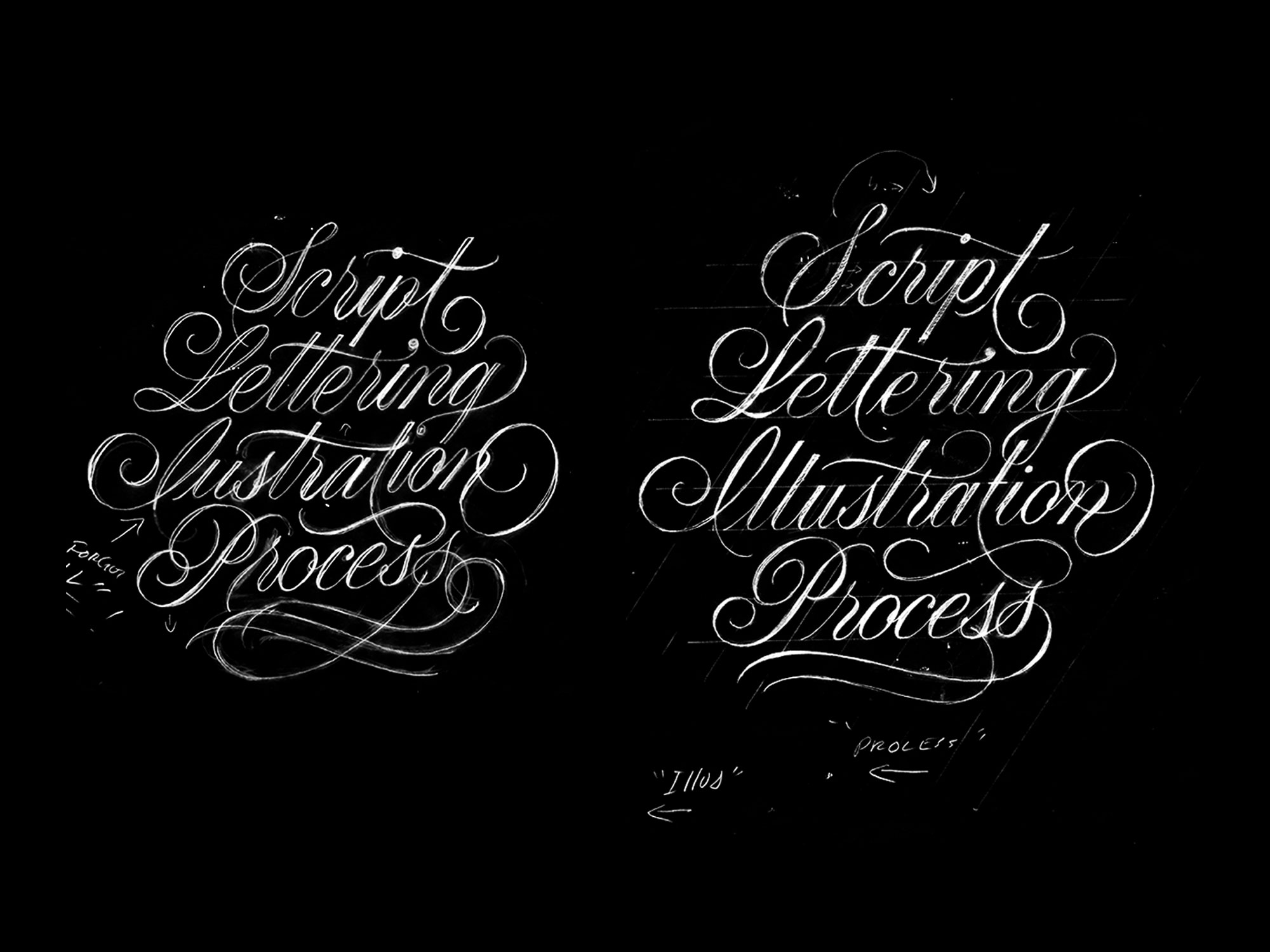
Once I come up with something that is balanced and has potential, I think about how I can improve it. The image above shows the rough sketch I selected (Left) and the revised version of the rough sketch (Right).
Here’s what I noticed and revised:
Spelling - Usually I’m pretty good about spelling, but I forgot both of the l’s in “Illustration”.
Vertical Space - The rough sketch felt ‘off’ because it was vertically compressed. I also didn’t like how the g in “Lettering” was disappearing behind “Illustration”. To fix both of these issues, I used my ruler to draw guidelines with a larger line height. This allowed the g to become whole and gave everything space to breathe.
Centered “Process” - “Process” was too far to the right.
Longer Crossbar - I used the t crossbars in “Lettering” and “Illustration” to occupy the central negative space. To make the t in “Script” fit, I increased its size.
First t upstroke - There was a large amount of negative space beneath the first t. To address the problem I disconnected the t from the p and gave the t an upstroke that emerged out of the negative space.
“Illustration” t crossbar - In the rough sketch, I used a single crossbar for the two t’s and it felt cramped because it didn’t have enough space to flow past the second t. I added in a standard crossbar on the second t so that the graceful crossbar, didn’t have to awkwardly extend through both.
Double t’s and l’s - After adding in the missing ll’s to “Lettering”, I noticed I could balance the negative and positive space by staggering the height of the double tt’s and ll’s.
Simplified P - Removed the overlapping stroke in the P from “Process”. I felt this helped make it fit in with the rest of the flourishes.
Simplified bottom flourish - The bottom flourish was overly complex compared to the rest of the flourishing.


Step 3. Final Illustration
Now I’ve solved most of the major problems and I focus on the details.
Final Illustration Process
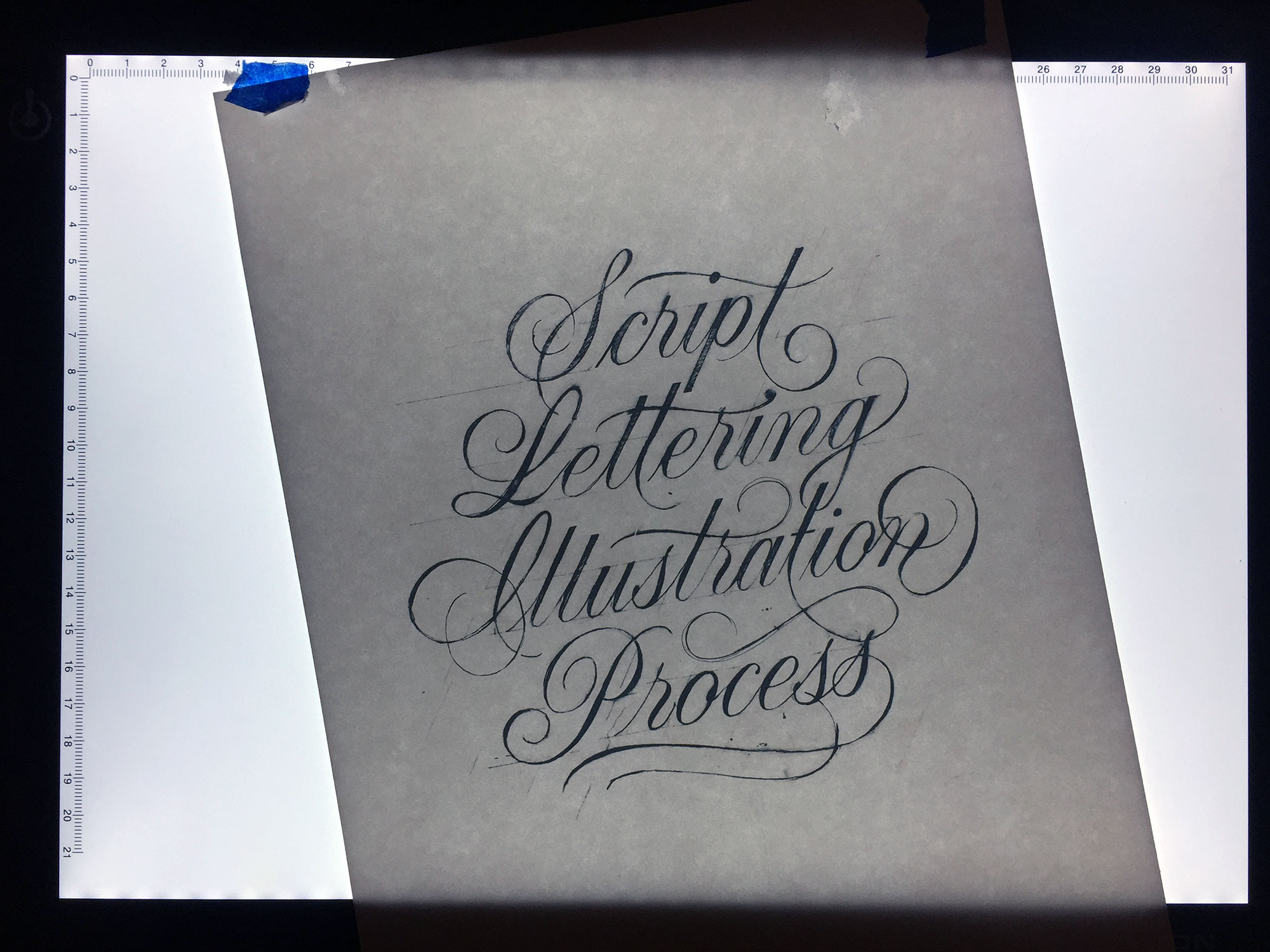
Scan and enlarge - After scanning my revised sketch, which was about 4 inches wide x 4 inches tall. I print out a larger version (~7in x 7in). Working at a slightly larger size makes the minor flaws easier to notice.
Tape and guidelines. - I lightly tape my enlarged print, using blue painters tape, to a piece of smooth bristol paper. I use a light table while tracing and begin by drawing my horizontal and slope guidelines.
Light trace - With a 2h pencil I lightly trace the lettering onto the bristol paper. Once I’m finished, I put the light table away and take off the tape.
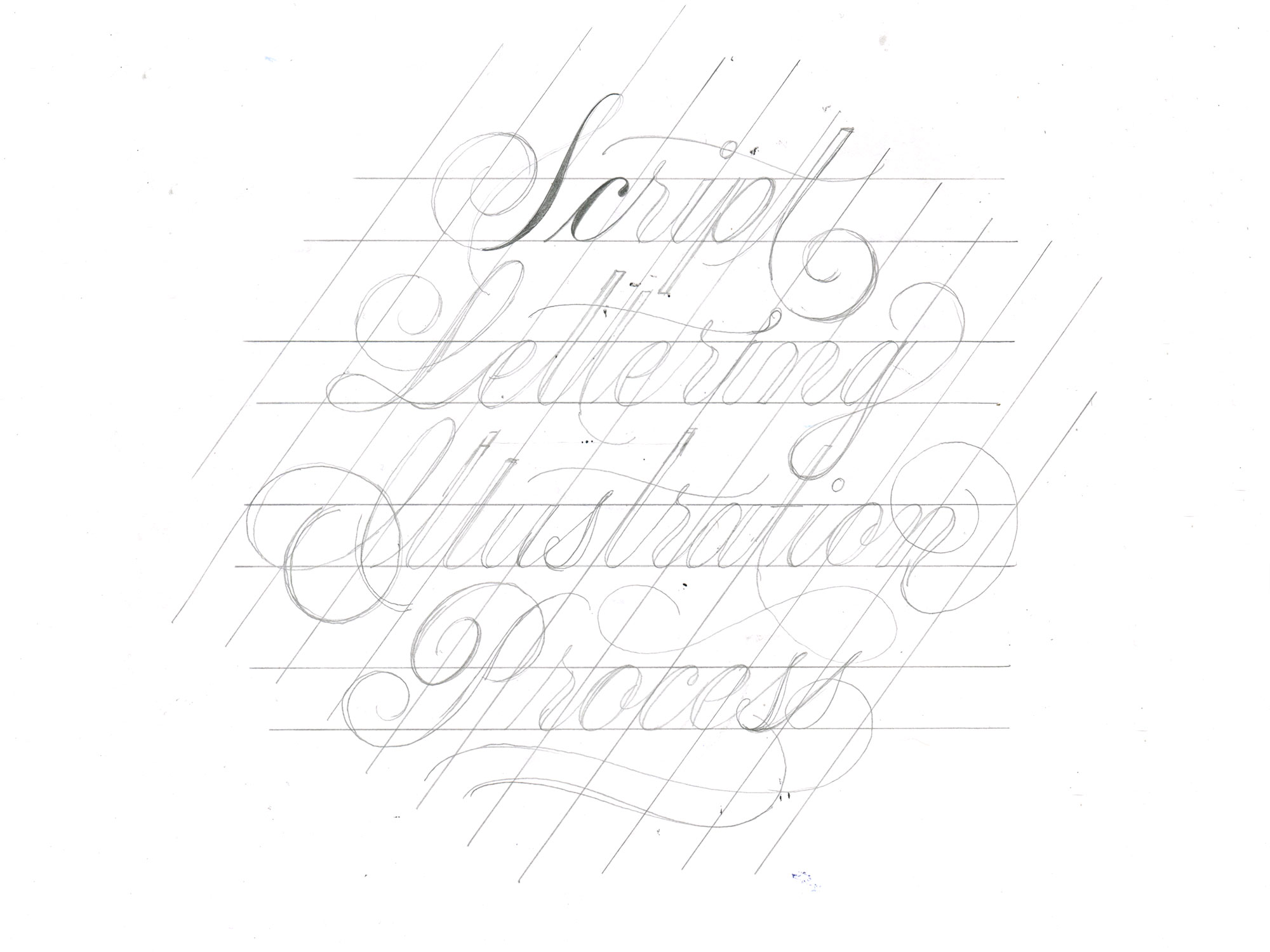
Filling it in - Instead of using a lead holder, I use a mechanical pencil with .3mm HB lead. I like not having to sharpen the pencil as I’m going. I slowly fill in the lettering - If my lines are bumpy and not smooth, I fix them by drawing over the area or by subtracting imperfections with the eraser.
Minor Changes
Because filling in the lettering is slow moving, I usually notice a couple changes during this step. In this design I made two:
More elaborate I - The space below the I and to the left of the P in “Process” felt empty. I created a more elaborate I to occupy the space. It also helped to add balance by horizontal aligning with the n that dips down below the baseline.
Double t’s and l’s - In my revised sketch the double direct l’s were staggered in opposite directions. That ended up not making sense to me, so I made the left strokes taller in both situations.
The Details
Kerning - If there’s a problem with letter spacing, I’ll shift it around before filling it in. Sometimes I get the light table back out, but most of the time I’ll just redraw and shift the letter by eye.
Thickness - Using the pencil and erase I add and subtract letter thickness until the entire piece feel uniform.
Flow - Sometimes I’ll be able to smooth out a curve with a slight adjustment and other times it will take multiple rounds of erasing and redrawing. Creating smooth lines is ironically, the ugliest part of the process (at least for me). It takes time, thinking, trying and retrying to get all the lines to feel smooth and fluid.
Joshua balboa
Hey mate! You should do a post on laying out guidelines in detail! Love all tutorials so far! They’ve been very helpful! Keep up the good work!
admin
Hey Joshua, that’s a great idea for a post - I’ll have a tutorial up in a week or two on how I lay out guidelines! I’m happy to hear that and thank you!
Emilie
I’m so happy for your process photos! I’m still new to lettering, and I’m always self conscious about how messy my process looks! (Which I know is silly, because every designer’s is, but yours are way cleaner than mine), but it’s good to see that it isn’t a bad thing!
admin
I’m happy you like them Emilie!! Being messy is my favorite part of the drawing process.