
A lettering composition is a group of words and sometimes other elements, formatted together as a single design. This tutorial covers important concepts, the steps involved in the design process and an example project to show how the concepts are applied.
Design Concepts
In comparison to lettering a single word, a composition requires a greater number of considerations. Developing an understanding of design concepts makes dealing with these additional decisions much easier.
Composition
The definition of composition is “the nature of something’s ingredients or constituents; the way in which a whole or mixture is made up.” (Dictionary.com). A word is a composition made up of letters (ingredients). To manipulate the composition of a word, we can adjust the letters styles, spacing and the positive/negative space.
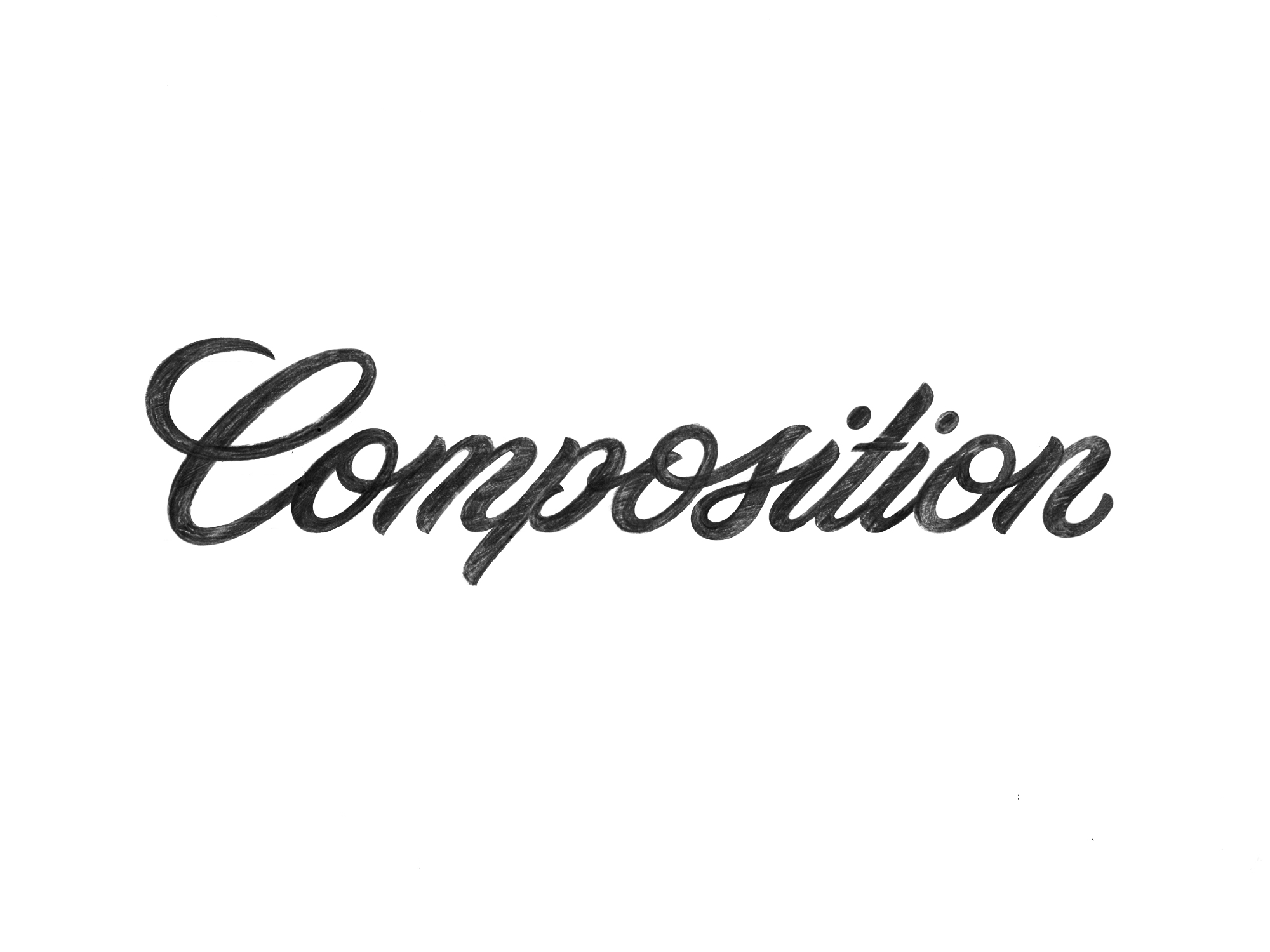
Positive Space
Positive space is any area of a design that’s filled in. A bold element contains a large amount of positive space drawing the eye to it, while a light element lets the eye more easily pass-through it.
In the “Composition” example above, the black represents the positive space and the white background is all negative space.
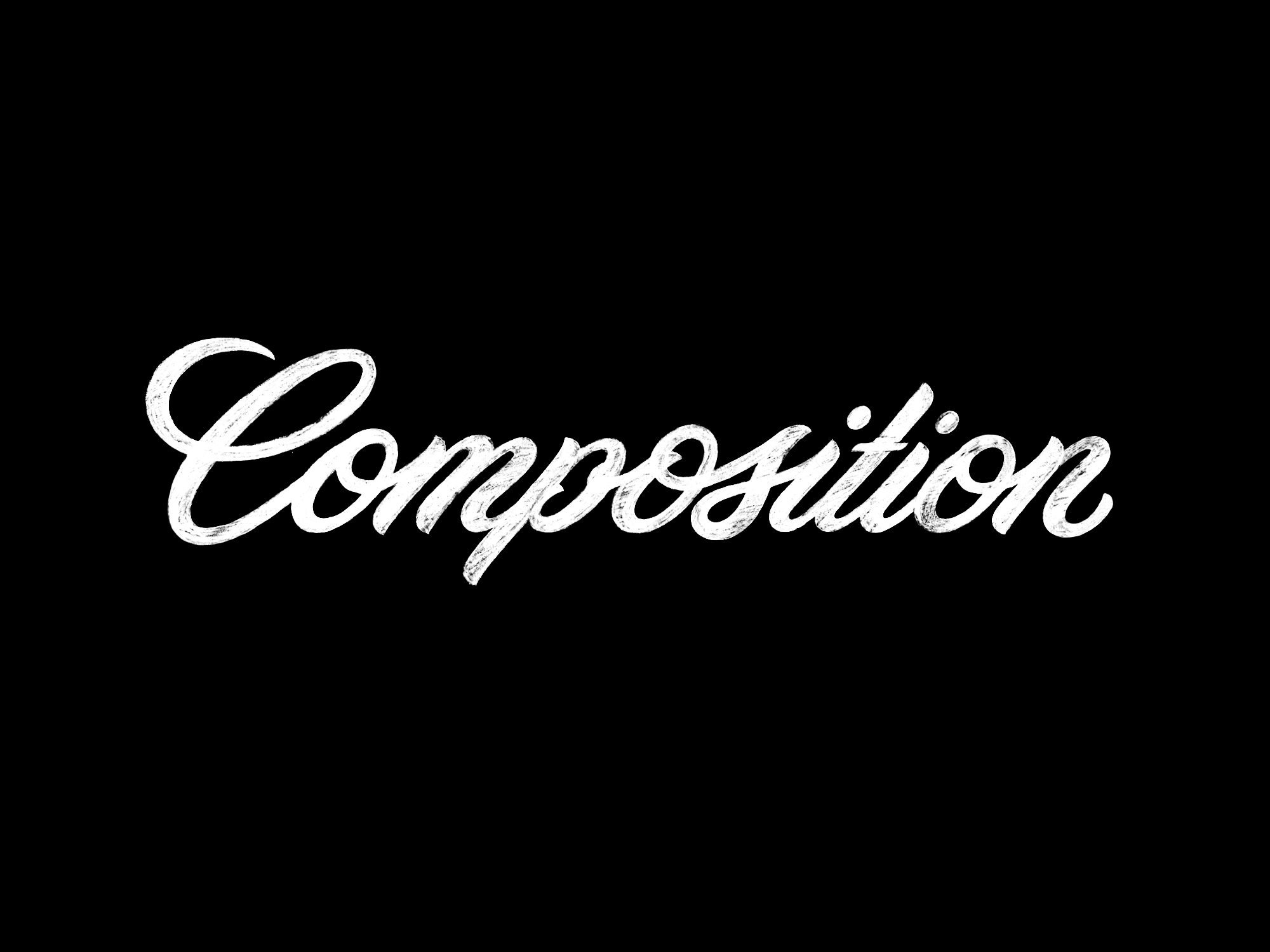
Negative Space
Negative space is any empty, not-filled-in-area of a design. It can be found in the margins (edge or border of a design), between words (top, bottom, left, or right), and in between letters. Negative space highlights and defines positive space and must be considered and designed in the same way positive space is.
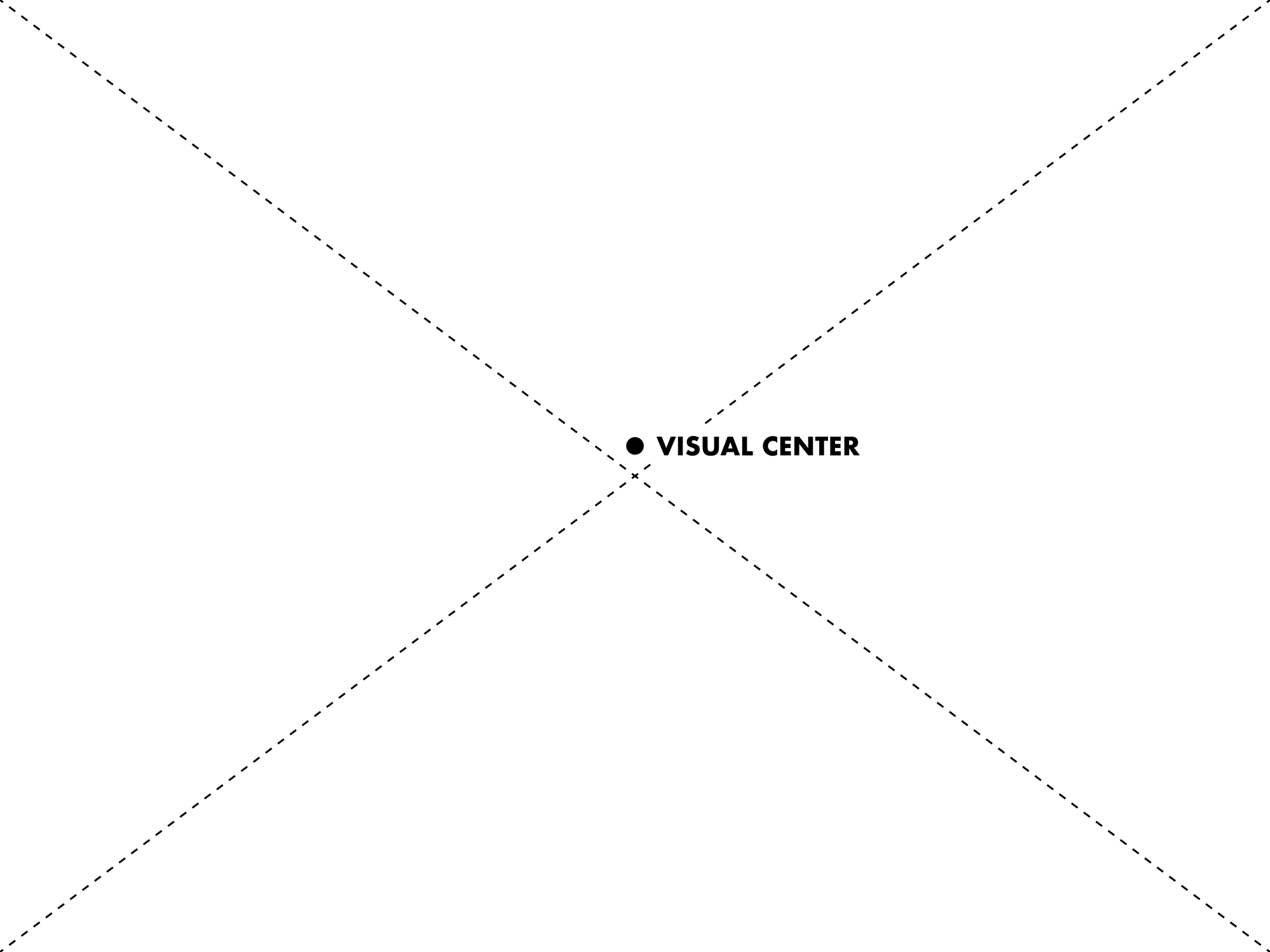
Visual Center
The eye is naturally drawn to the visual center of an area, which is slightly higher than its geometric center. The visual center of a square or rectangular container can be found by drawing two diagonal lines running from corner to corner. The optical center sits slightly above where the two diagonal lines intersect.
Layout
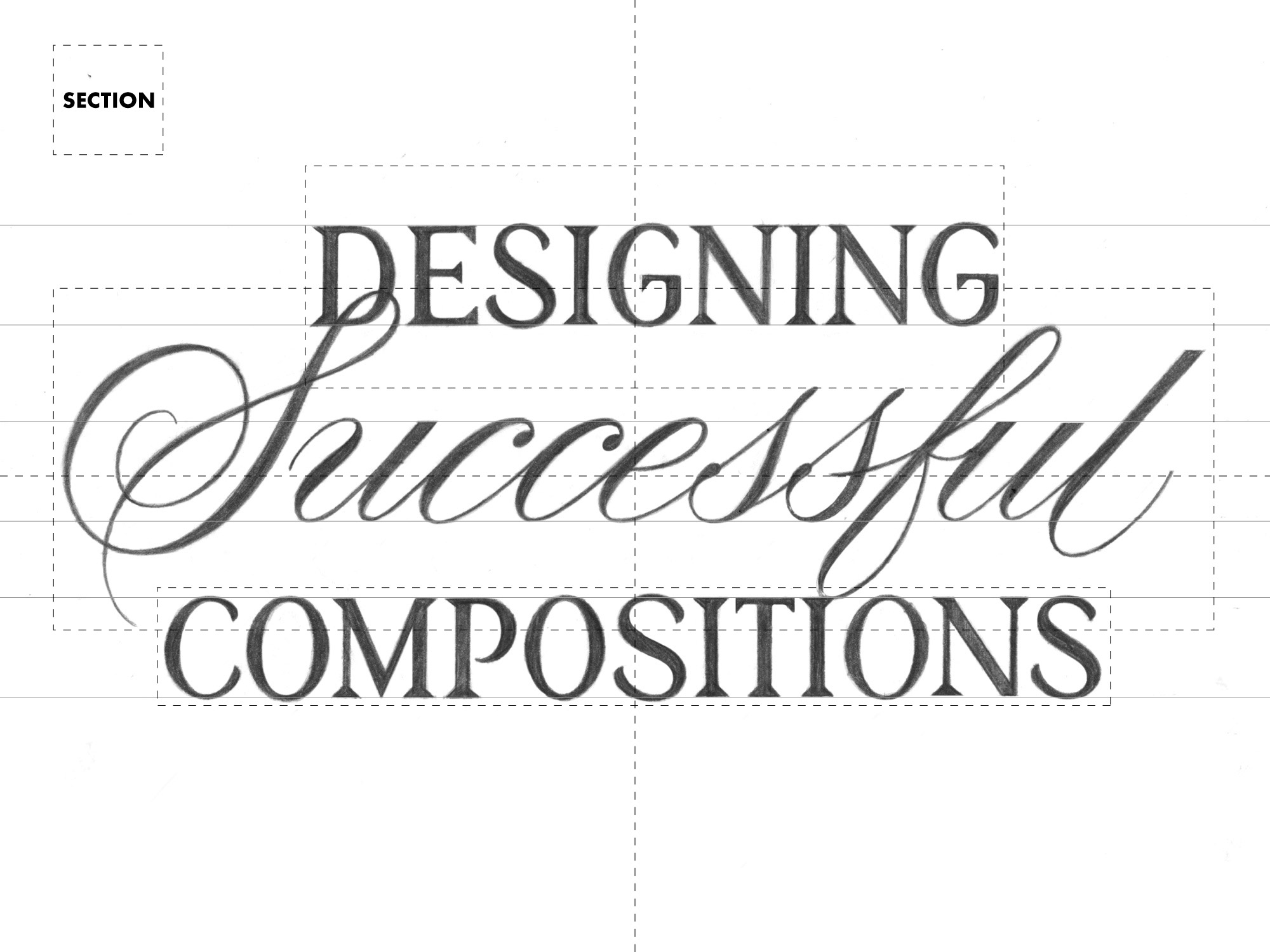
Working with multiple words, means you have to consider how the words relate to each other and the composition as a whole. The layout is the way in which the parts of the composition are arranged - the layout should contribute to making the composition look nice and read well. Here are some important concepts to consider;
-
Container shape and size - How will the design be used? What are dimensions of the container? How can the design sit within the container in a way that feels natural?
-
Grouping words into sections - Which words will be grouped together? Will the grouped words be united by a similar style, size, or line weight? Is the grouping causing the composition to read correctly?
-
Vertical spacing - How much negative space should there be between words/different sections of the composition? Is the vertical spacing between sections consistent throughout the composition? Does it feel balanced?
Using a grid system is a great way to help create a layout that is balanced and organized.
The image above uses a centered layout and two different styles of lettering. Because “Successfully” is located in the middle of the composition and occupies the most amount of space, it commands the most attention. I’ve used style to create balance within the composition by surrounding the “Successful” with two Serif words (“Designing”/Compositions”) above and below it. To unite the two different styles I used the the cap-height of “Designing” and “Compositions” is the same as the x-height of “Successful”.
If you’re unfamiliar with the terms cap-height and x-height, you can learn more about them in my post on Using Lines and Shapes to Guide Your Lettering .
Hierarchy
Hierarchy can be used to organize words of a composition live in. In this system, different words can be prioritized over others. Doing this makes the composition visually interesting and when done well, it improves the way it communicates. There are a few ways to manipulate the hierarchy of a composition:
-
Adjust the layout - The layout is how the parts (words and other design elements) are arranged in a composition. The way you arrange words sets the foundation for your hierarchy and how the design looks. It also effects how the design reads, it’s important to consider both as you work through a design. Here are some different ways to manipulate the layout to control hierarchy:
-
Breaking up content into sections gives you control over how the design looks and reads. Once broken up, you can manipulate the size of the different sections. The lettering size in each section should be dictated by the importance of that content. More important content can be enlarged and less important content can be smaller.
-
Adjusting the wording of a composition is always an option. You can add, change, or subtract content in a way that benefits the look without sacrificing the message.
-
-
Increase/Decrease line thickness - Bold lines attract more attention than thin lines. By adjusting the line weight of a word you control how much attention it gets.
-
Add effects and details - A composition shouldn’t rely on effects and details to establish hierarchy, but it’s a great way to embellish the hierarchy in a strong composition.
Balance, Rhythm & Symmetry
Getting the pieces of a composition to seamlessly fit together is challenging. These concepts can be applied to words, groups of words and the composition as a whole. In relationship to lettering and designing compositions, these concepts become slightly abstract. I use them as a way to question my work throughout the design process (Does this word feel balanced with this one? Does the way I’ve applied style convey a sense of symmetry? etc…) There is no right or wrong way to apply these concepts, but they must be considered. Practicing is the best way to build these skills.
-
Balance & Symmetry - Symmetry is defined as …beauty of form arising from balanced proportions (Merriam-Webster). Balance is created with considerate relationships between graphic elements and symmetry, should in some way, define these relationships.
Symmetry can be applied traditionally (where left reflects right or top reflects bottom), or in a more abstract way (this is this way because that is that way), both methods help establish symmetry and create balance.
Ultimately, developing symmetry requires you be considerate of the relationships in a design then finding ways to make those relationships intentional and balanced.
-
Rhythm - Rhythm strongly relates to the use of positive and negative space. When done well, positive and negative space works together to create visual flow and balance. Words, groups of words and the design as a whole should convey a sense of rhythm. This helps guide the eye through the content and makes the design attractive.
Legibility
Legibility means that letters of a word are capable of being read or deciphered (Merriam-Webster). To some degree, all of the words in a composition should be readable. Sometimes it makes sense to compromise legibility for artistic representation of a word.
How It Looks & Communicates
If you’re overwhelmed by the list of design concepts, remember that the main goals are simple; Make it look nice and communicate appropriately. I use three steps to achieve these goals:
1. Understand the content
What’s most important to communicate? Who are you communicating to? What words aren’t necessary? Answers to questions like these set the foundation for the composition’s layout and will be enough to get you started on rough sketches that incorporate practical solutions for the content.
2. Build a composition that’s considerate of the content
The goal is to discover a visual solution for the content that communicates the message internationally and looks nice at the same time. There’s no right or wrong way to do this.
Your understanding of design concepts, along with practical decision making, makes it possible to weigh options against each other and successfully revise an idea based on the process of elimination.
3. Making adjustments
Ask yourself questions and find solutions to them. This is where you understanding of design concepts comes in handy.
Being able to critique your design, in my opinion, is the most important part of this step. Does it read well and communicate clearly? Is there stylistic rhythm? Are the most important words emphasized? Is there balance between positive negative space? Does anything look weird?
Ask yourself questions, if there’s a problem, find find a solution (Solutions can involve manipulating any of the design concepts above). Once you’ve found a solution, compare it to the old one and make sure it’s actually an improvement.
Example
This section shows how I work through the process. The poster I’ll be designing in the demonstration highlights the name of the brand, what it does and the web address.
1. Understand the content
Here are the project guidelines I set for myself:
-
Content should communicate the three categories of my brand; custom lettering, things/merchandise and tutorials.
-
Design needs to fit a 12×19 vertical format
-
Incorporate serif, sans-serif, and script styles of lettering
-
Focus on making the lettering beautiful
2. Build a composition that’s considerate of the content
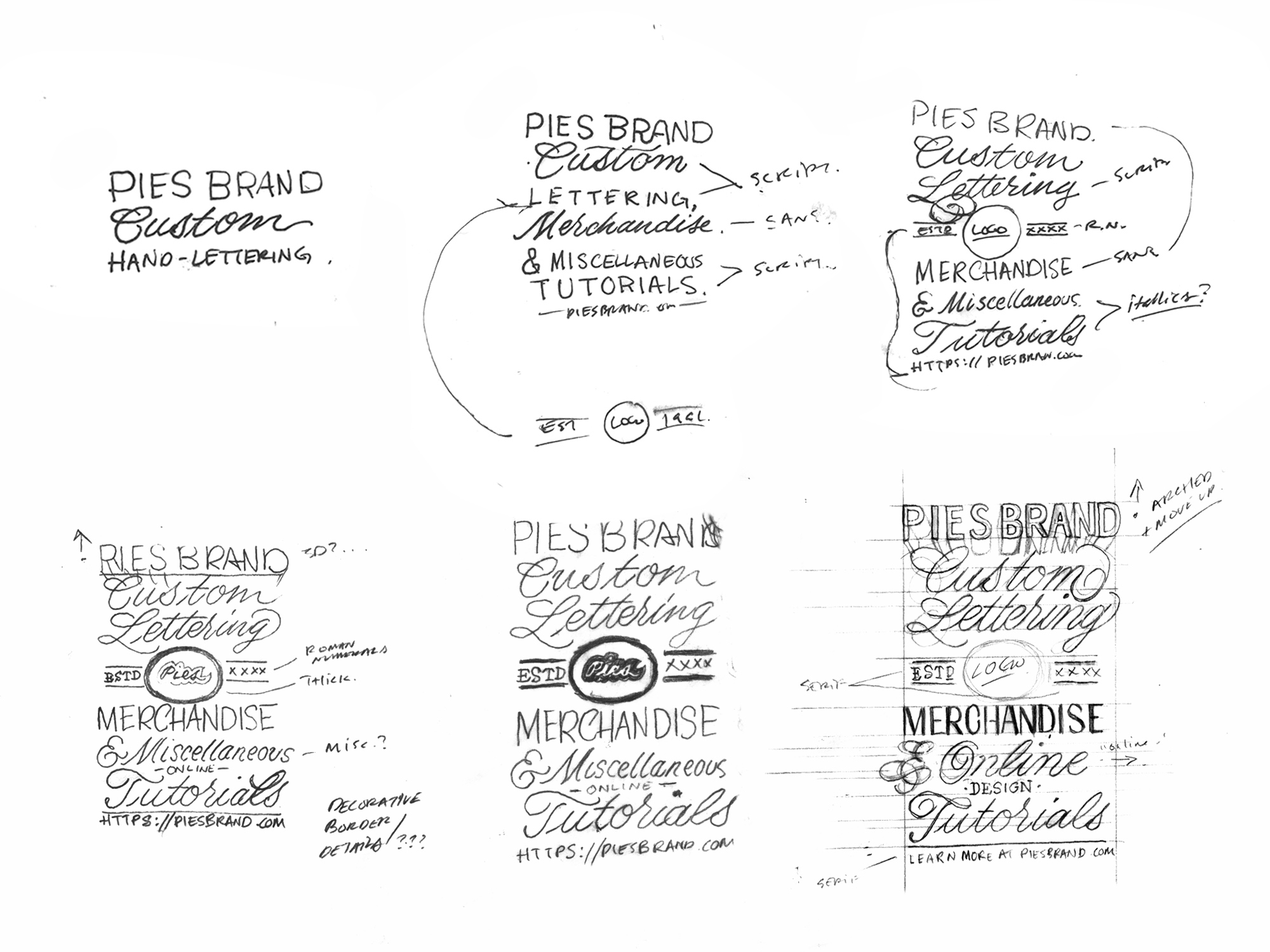
I started concept sketches with the verbiage “Pies brand custom lettering merchandise & miscellaneous tutorials - Piesbrand.com”. I ended up making a few minor adjustments; changed “Miscellaneous tutorials” to “Online design tutorials”, and instead of using the just the url I decided on “Learn more - Piesbrand.com”.
The most important realization and solution I had during this process occurred in my second sketch (top-mid). Without a visual element to break up the verbiage, the lettering felt mundane. To break up the content and make the layout more interesting, I decided to insert my logo + “Estd 2016” in the middle, this broke up the layout of the composition into three sections; top, middle and bottom.
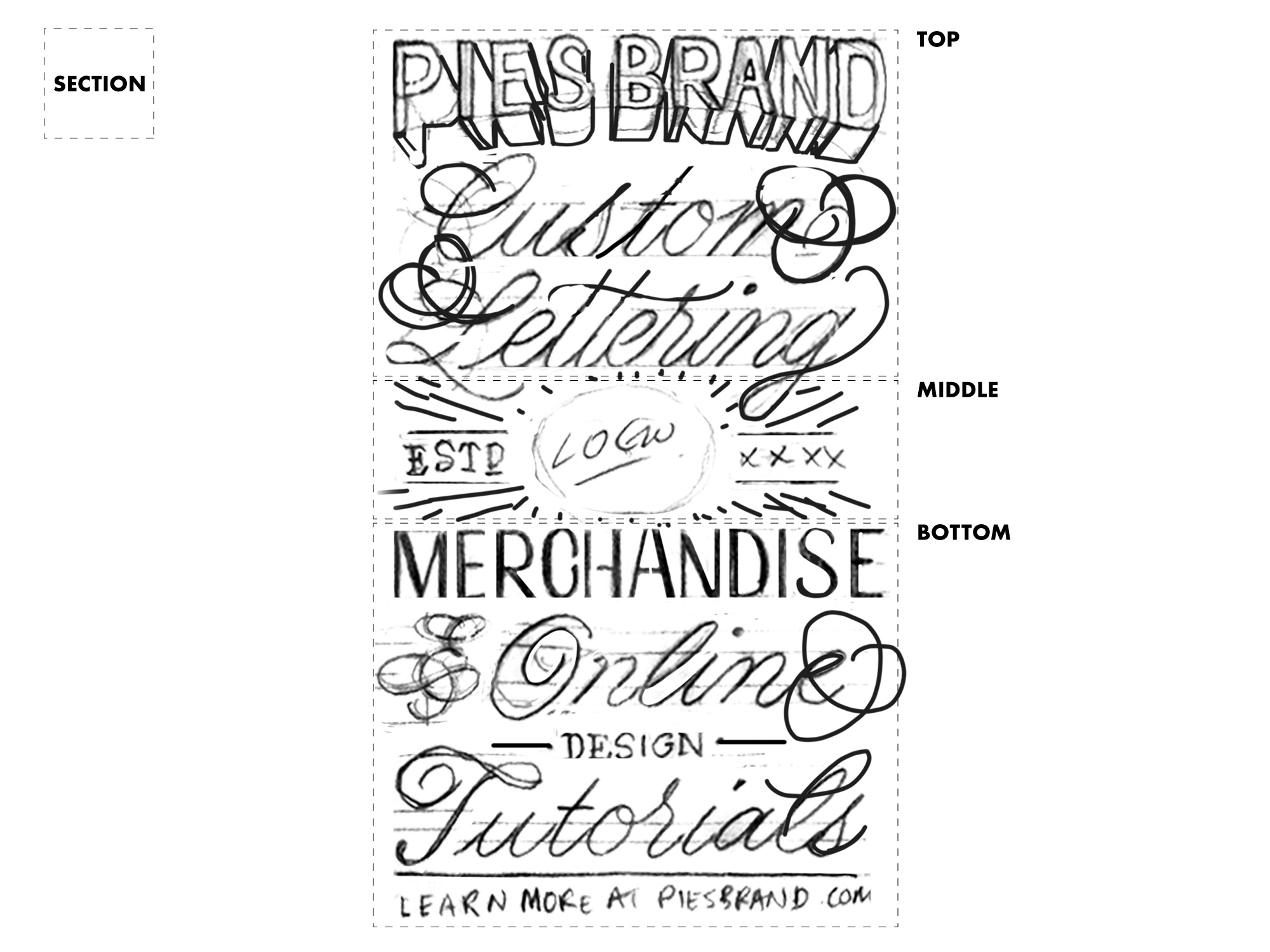
This improved the design by making it more interesting. It also helped to break up the content and make it easier to understand. “Pies Brand Custom Lettering” became one section and “Merchandise & Online Design Tutorials” became another. This is inline with the hierarchy of my brand; custom lettering encompass everything and merchandise/tutorials are secondary to it.
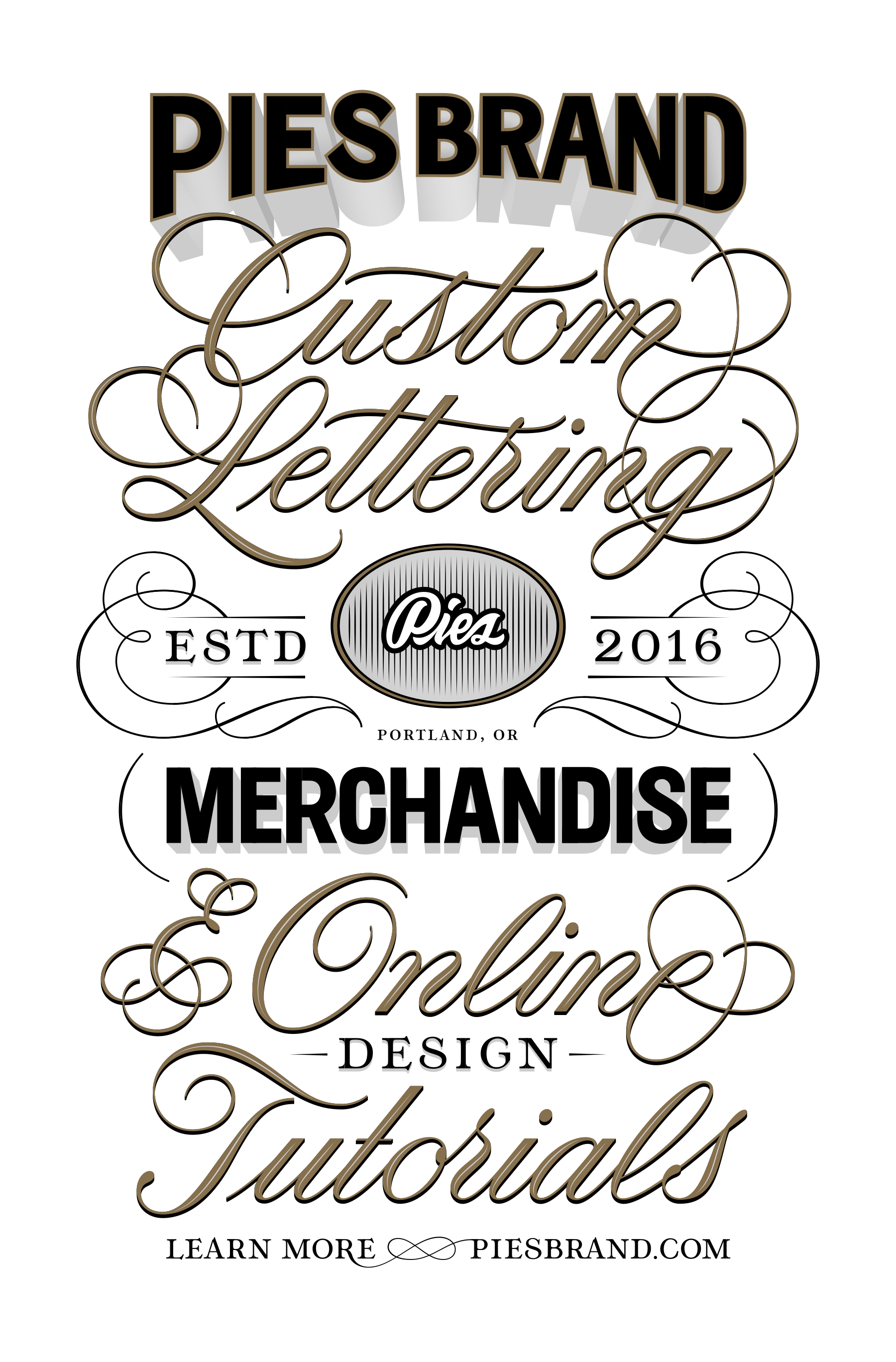
The final illustration alternates between styles to divide the main sections (top, middle, bottom) into sub-sections. This creates a visual rhythm, which makes the composition interesting and easier to read through.

3. Making adjustments
In the final illustration I made a few minor adjustments to some of the letterforms. My goal was to create some interaction between the sections. The C and m from “Custom” cut through “Pies Brand” and the lettering style of “Custom Lettering” is reflected in the & and e of “& Online design Tutorials”.
Here’s how I’ve applied the some of the design concepts we talked about earlier:
-
Negative and positive space - I paid careful attention to the lettering-spacing (kerning) of each word and to the vertical spacing of each section. Doing this creates a consistency between positive and negative space that helps unify the composition through balance.
-
Effects and details - To add emphasis and separate it from the rest of the content, I gave “Pies Brand” a drop shadow that leads towards the center of the composition.
-
Line Thickness - Matching styles share a similar line thickness to create a sense of balance and similarity. Example: “Custom Lettering” matches “& Online Tutorials”, “Pies Brand” matches “Merchandise”, “Estd 2016” matches “-Design-” and “Learn More-Piesbrand.com”.
-
Balance, Rhythm & Symmetry - These concepts are communicated through the way I’ve alternated between styles, formatted the central area (Logo in middle and “Estd 2016” on either side), and used line weight to create similarity between styles.
-
Hierarchy - The hierarchy of this composition relies heavily on alternating between styles to create sections. These sections break up the content into readable chunks. I’ve also used size to create hierarchy; “Est 2016”, “-Design-“, and “Learn More - Piesbrand.com” are all smaller to give the brand name and three categories more attention.
Conclusion
Creating a successful lettering composition requires you to consider the composition of individual words and how each word relates to the whole. Developing an understanding of design concepts and applying practical problem solving skills to the design process will lead you to successful compositions. Most importantly, if you’re not happy with something, figure out how to adjust it so that your are.


Yet another great post prepared with care, diligence and elegance. I enjoyed reading it. It’s still crazy how you start from three-four scribbled words and create such a beautiful composition in the end. I read the instructions and understand them but there’s a magical thing happening in between which results in a beautiful content and not just beautifully composed scribbled word. I wish I could get there one day.
Zeynep!
Thank you so much. That’s wonderful to hear and I’m happy you enjoyed it!
I’ll do some more thinking about how to better explain my process, there’s definitely no magic, even though I’m flattered you say so.
You’re awesome and thanks for reading!
-Stephen